Face-based attendance
Employees are recognised by face on the phone itself, with a liveness check to resist photos and screens.
Record attendance with on-device face verification and touchless punching, plan work with shifts and calendars, and review everything in clear reports, even when the internet is down.
A one-month free trial is planned for launch. See the proposed plans.
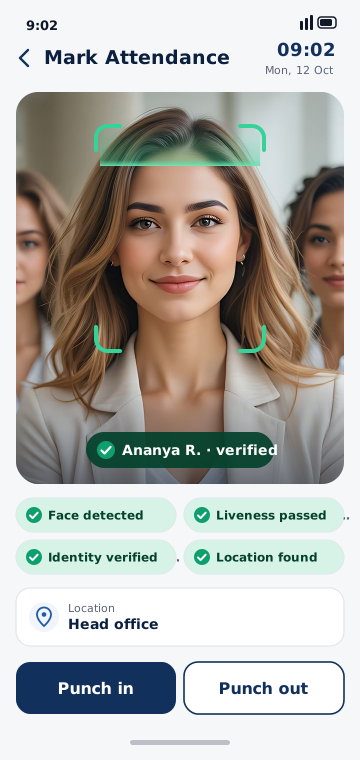
Set up once, and a single phone at the entrance becomes your attendance kiosk.
Employees are recognised by face on the phone itself, with a liveness check to resist photos and screens.
Choose two buttons, one button, or fully touchless punching where recognition alone records the punch.
Codes, departments, designations, shifts, calendars and face enrolment, with active and inactive employees.
Day, night and flexible shifts with grace time, expected hours, breaks and half-day thresholds.
Working days, week offs, full and half-day holidays, and schedule changes from a date you choose.
Daily attendance, late coming, early going, absences, overtime, work hours and missing punches, exportable to CSV and Excel.
Take attendance the same day you install. Default working days, a department and punch buttons are ready for you.
Get startedIn touchless mode nobody touches the screen. The app checks that one real person is in front of the camera, recognises them against your registered employees, and records the punch. With two-button or one-button modes, the employee taps to confirm.
Unknown faces are not matched to anybody, and the app asks for one person at a time when it sees several.
Two minutes on the shared attendance phone: punch in with a face, take a break and punch out, then the settings that decide how punching works.
Videos play from YouTube in its privacy-enhanced mode. Nothing is loaded from YouTube until you press play; after that, Google’s privacy policy applies.
Today at a glance, your employees, attendance reports and work calendars, exactly as they look on the phone.
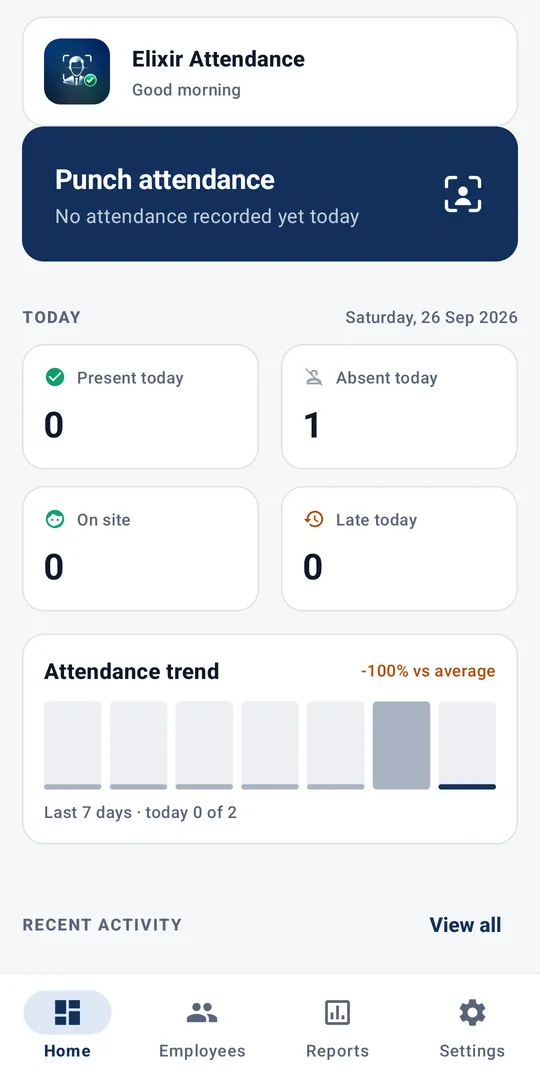
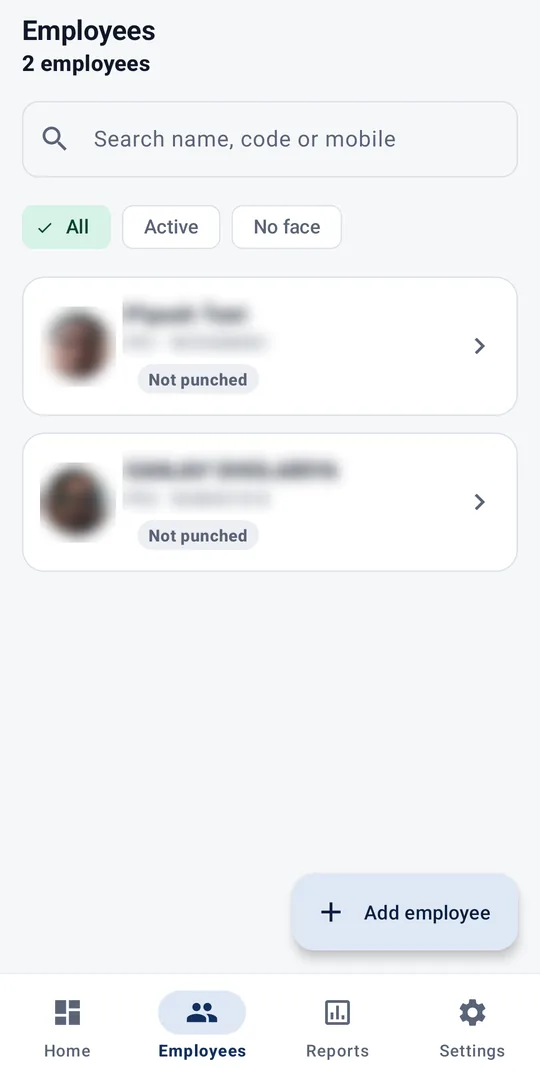
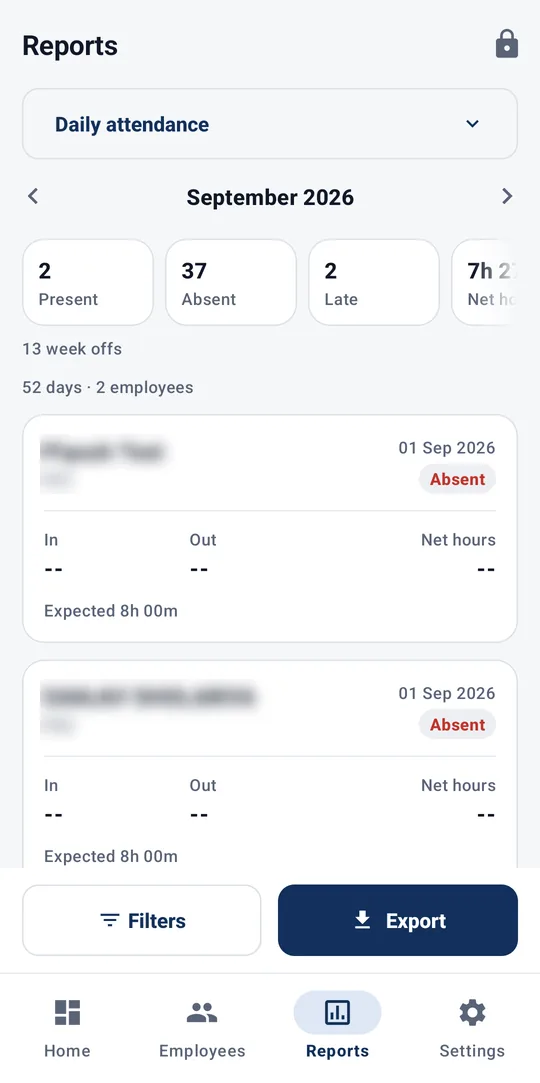
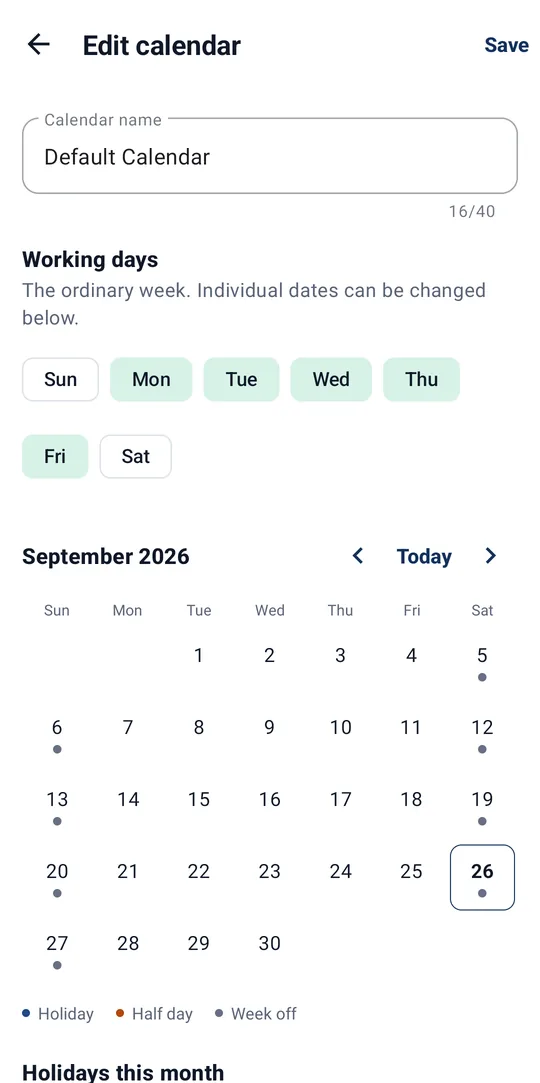
Screenshots from the app on an Android phone. Employee names, codes, mobile numbers and photos are blurred for privacy.
Register on the app and verify the administrator's email address. A default calendar, department and punch style are set up for you.
Enter each employee's details and register their face on the phone. Assign a shift and a work calendar.
Shifts, working days, week offs, holidays and, if you want, a workplace location.
Employees punch in and out with the method you chose. You review the dashboard and reports.
How Elixir Attendance compares with the two most common ways of taking attendance.
| Capability | Paper register | Fingerprint device | Elixir Attendance |
|---|---|---|---|
| Hardware to buy | None | A dedicated device | None: an Android phone |
| Touch-free punching | –No | –No | ✓Yes |
| Resists punching for a colleague | –No | ✓Yes | Face + liveness check |
| Works without internet | ✓Yes | Varies by device | ✓Yes |
| Hours, late and absence worked out for you | –No | Varies by software | From your shifts and calendars |
| Export to Excel | Retype by hand | Varies by software | CSV and Excel |
A general comparison. Fingerprint devices and their software differ by vendor.
Hand the kiosk to a receptionist or guard without handing over your organization.
Every punch is saved on the phone the moment it happens. No connection is needed to take attendance.
Face templates stay on the phone where the employee was registered and are never uploaded to our cloud. They leave it only in an encrypted backup file an administrator exports.
Each organization's data is kept separate, on the phone and in the cloud.
No. Elixir Attendance runs on one shared Android phone or tablet at your workplace, used as an attendance kiosk. Employees do not install anything. Using several kiosks for one organization is planned.
The employee must be recognised against the face registered for them. An on-device check stops faces shown on a phone or monitor screen, and the optional head-turn check is the one measured to refuse a printed photo. Faces that match nobody are not recorded as anybody. No face-recognition system is perfect, so administrators can review and correct attendance.
Yes. Face recognition, punching and reports all run on the phone. Punches are saved immediately and uploaded to your cloud backup when the phone is back online.
No. Face templates and enrolment photos are never sent to our cloud: the cloud backup holds employee details, shifts and punches, never face data. They leave the phone only in an encrypted backup file that an administrator chooses to export and keeps.
Yes. Choose touchless mode and recognition alone records the punch. New organizations start with two buttons, Punch in and Punch out; one-button and touchless modes are a setting away.
Android phones and tablets running Android 7.0 or later, with a front camera. Location features need the phone's location services.
Elixir Attendance is free to use during early access. Paid plans with a one-month free trial are planned; the proposed plans show what each would include.
The administrator can request deletion in the app or on the Account Deletion page. Data is permanently deleted after 30 days, and the request can be cancelled until then.
Something else? Contact support.
Elixir Attendance is an Android app. Install it on a phone at your workplace, register your organization and verify your email, and you can take attendance the same day. Default working days, a department and punch buttons are set up for you.